Your plans live here now
By Patrick Bihn
If you've built anything from a kit, you know the choreography. PDF open in one window. BenchLog timer in another. Sticky note on the bench reading "fig. 14, step 7". Phone propped against the rivet gun showing the same page because the laptop is across the hangar.
It worked. Sort of. But the plans always felt like they were happening next to BenchLog instead of inside it. So this month they moved in.
What landed
Upload once, find anything. Drop your section PDFs into the Plans Library. Empennage, wings, fuselage, finish — the filename parser sorts most of them automatically, and the rest you assign with one click.
One note up front: BenchLog doesn't ship the plans. Van's owns those drawings, so you upload your own set — the same PDFs that came with your kit.
Read them like a normal PDF. Continuous scroll, zoom, fit-to-screen, page nav. Works on a phone propped against the rivet gun. The reader survives refreshes; close the tab in frustration at 11pm, reopen tomorrow, land on the page you closed at.
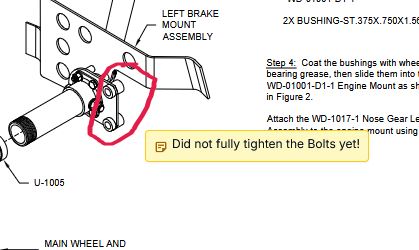
Annotate them like a real builder. Sticky notes anywhere, freehand pen strokes for the rare moment when typing isn't fast enough. Annotations are scoped to you — your "double-check this rivet line" doesn't pollute somebody else's reader.
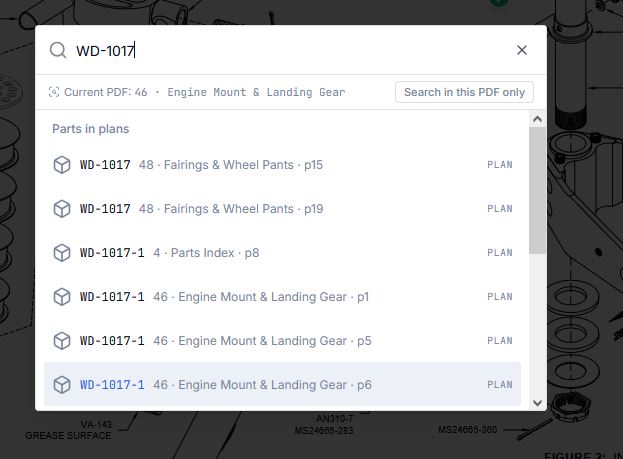
Find any part number. Every uploaded sheet is OCR-indexed in the background. Press Ctrl+K, type WD-1017, and you get every page and every callout that part appears on. Click — you're there, right page, right zoom.
Find any text. Brand new: Ctrl+F inside the PDF. The browser's Ctrl+F was useless on a rendered drawing; this one actually finds what you typed, highlights every hit in amber, and gives you a sidebar grouping the matches by page. Power-PDF energy, no Power PDF required.
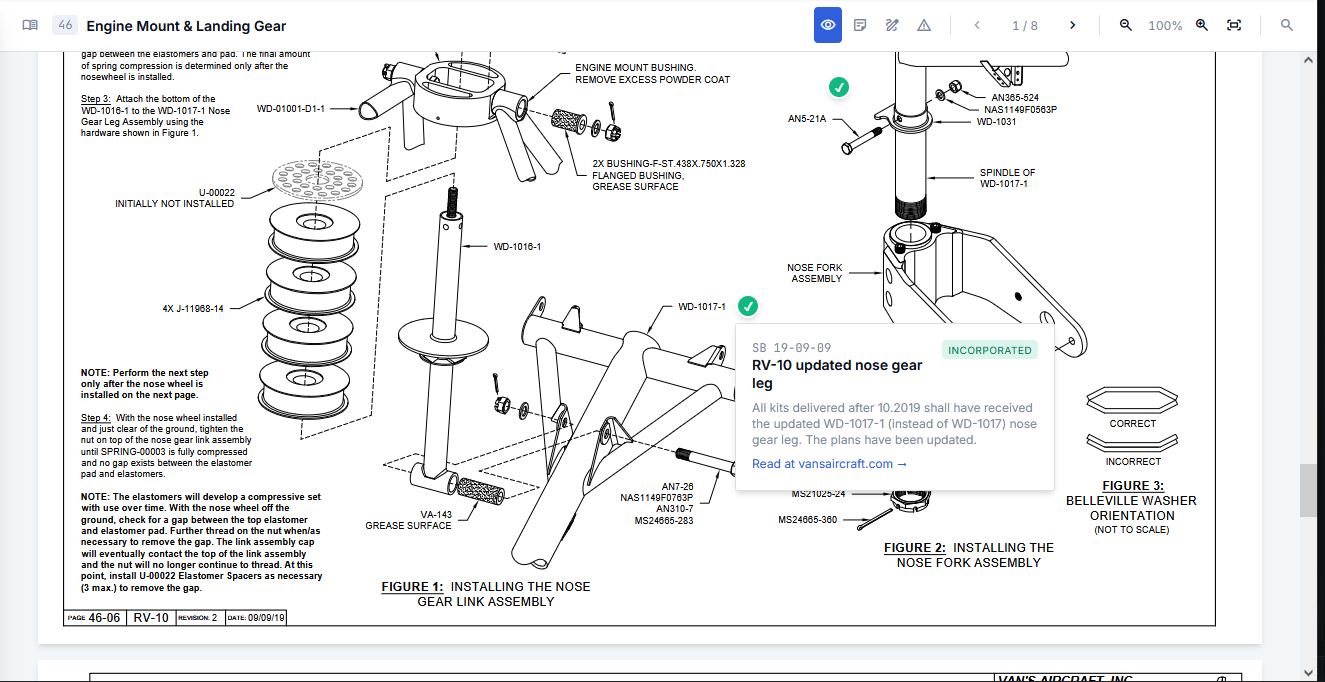
Service Bulletins on the drawing itself. Yellow markers pin SBs to the exact figure they apply to. Click one and you see what Van's says, whether it's incorporated yet, and a link to the official page. No more remembering that SB-22-05-12 affects the elevator control stop while you're already three steps into a different section.
Why this matters at 9pm on a Tuesday
Most of building is short bursts. You don't have time to wrestle the plans. You need the right page open, the right callout visible, the timer running — and that's it. Every alt-tab to a PDF viewer was a small tax on the actual build.
The Plans Library is the part of BenchLog that finally pays that tax for you.
What's next
I'm using it on my own RV-10 build. The rough edges I find, I fix; the rough edges you find, send my way. The roadmap stays short and opinionated, and shaped by what actually breaks at the bench.
Now go upload your plans.